这次遇到一个 Tag 布局的需求, 寻找多方, 看到的很多方法都是自己硬头计算, 不太实用且成本太大. 我在之前的这篇文章讲到过如何在AutoLayout + UICollectionViewFlowLayout的情况下实现集合视图高度撑开, 这次再来看看在 AutoLayout + 自定义布局的情况下实现高度撑开, 并实现 Tag 布局.(想了解集合视图自定义布局的内容, 请看这篇文章)
基本环境
问题描述(需求): 在滚动视图(UIScrollView)中添加若干个集合视图, 且集合视图的高度就是自身内容高度(即单个集合视图不能滚动), 且这些集合视图使用的是自定义布局, 需要将集合视图高度撑开到自身内容的高度, 且布局需要实现 Tag 效果(即左对齐方式).
故上下文环境为:
-
视图控制器根视图上有滚动视图
-
滚动视图分为几个部分, 内部放置集合视图
-
集合视图高度撑开自己所属的部分
-
集合视图使用
UICollectionViewFlowLayout的自定义子类对象进行布局
实现
针对上述问题, 网上的解决方式五花八门多种多样, 但总是没有一个统一的, 简便的且高效的解决方案, 无意中发现这个库, 并且顺藤摸瓜看到 StackOverflow 上的这篇问答, 才初见端倪.
总地来说, 能用 UICollectionViewFlowLayout 来做就尽量用它, 或去继承实现它, 不然会多很多工作量.
自定义 FlowLayout, 主要是重写计算 Attributes 的方法, 思路是: 针对每一个 Item, 修改它和上一个 Item 的相对位置, 即可实现自己需要的左对齐布局.
核心代码如下所示:
override func layoutAttributesForItem(at indexPath: IndexPath) -> UICollectionViewLayoutAttributes? {
    guard let collectionView = collectionView else { return nil }

    // super 中也应是通过上一个 Item 的 frame 作为基准计算当前 Item 的布局.
    let currentAttr = super.layoutAttributesForItem(at: indexPath)

    let sectionInset = getSectionInsetAtIndexPath(indexPath)

    let isFirstItemInsection = indexPath.item == 0
    guard !isFirstItemInsection else {
        currentAttr?.leftAlignFrameWithSectionInset(inset: sectionInset)
        return currentAttr
    }

    let previousIndexPath = IndexPath(item: indexPath.item - 1, section: indexPath.section)
    guard let previousFrame = layoutAttributesForItem(at: previousIndexPath)?.frame,
        var currentFrame = currentAttr?.frame
        else { return nil }

    let availableTotalWidth = collectionView.bounds.width - sectionInset.left - sectionInset.right
    let strecthedFrame = CGRect(x: sectionInset.left,
                                y: currentFrame.origin.y,
                                width: availableTotalWidth,
                                height: currentFrame.height)

    // 若无交集, 则证明是新一行的第一个 Item
    guard strecthedFrame.intersects(previousFrame) else {
        currentAttr?.leftAlignFrameWithSectionInset(inset: sectionInset)
        return currentAttr
    }

    let previousItemRightMostX = previousFrame.maxX
    currentFrame.origin.x =
        previousItemRightMostX + getMinimumInteritemSpacingForSectionAtIndex(indexPath.section)
    currentAttr?.frame = currentFrame
    return currentAttr
}
在上面代码中用到了 UICollectionViewLayoutAttributes 的扩展:
extension UICollectionViewLayoutAttributes {
    func leftAlignFrameWithSectionInset(inset: UIEdgeInsets) {
        self.frame.origin.x = inset.left
    }
}
另外获取当前 Item 间隔设置和 Section 间隔设置的方法如下:
private func getSectionInsetAtIndexPath(_ indexPath: IndexPath) -> UIEdgeInsets {
    guard let collectionView = collectionView,
        let flowLayoutDelegate = collectionView.delegate as? UICollectionViewDelegateFlowLayout,
        let inset = flowLayoutDelegate.collectionView?(
            collectionView,
            layout: self,
            insetForSectionAt: indexPath.section
        )
        else { return sectionInset }
    return inset
}

private func getMinimumInteritemSpacingForSectionAtIndex(_ sectionIndex: Int) -> CGFloat {
    guard let collectionView = collectionView,
        let flowLayoutDelegate = collectionView.delegate as? UICollectionViewDelegateFlowLayout,
        let spacing = flowLayoutDelegate.collectionView?(
            collectionView,
            layout: self,
            minimumInteritemSpacingForSectionAt: sectionIndex
        )
        else { return minimumInteritemSpacing }
    return spacing
}
上面重写了 layoutAttributesForItem 方法, 就需要对应修改 layoutAttributesForElements(in rect:):
override func layoutAttributesForElements(in rect: CGRect) -> [UICollectionViewLayoutAttributes]? {
    guard var attributesArray = super.layoutAttributesForElements(in: rect) else { return nil }
    // 替换所有的 Item 布局对象: 调用重写后的 layoutAttributesForItem 方法生成.
    for (index, attr) in attributesArray.enumerated() where attr.representedElementKind == nil {
        if let attributes = self.layoutAttributesForItem(at: attr.indexPath) {
            attributesArray[index] = attributes
        }
    }
    return attributesArray
}
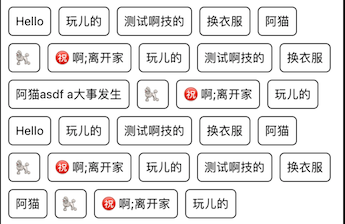
通过这个布局, 就可以实现所需效果, 简单实用:
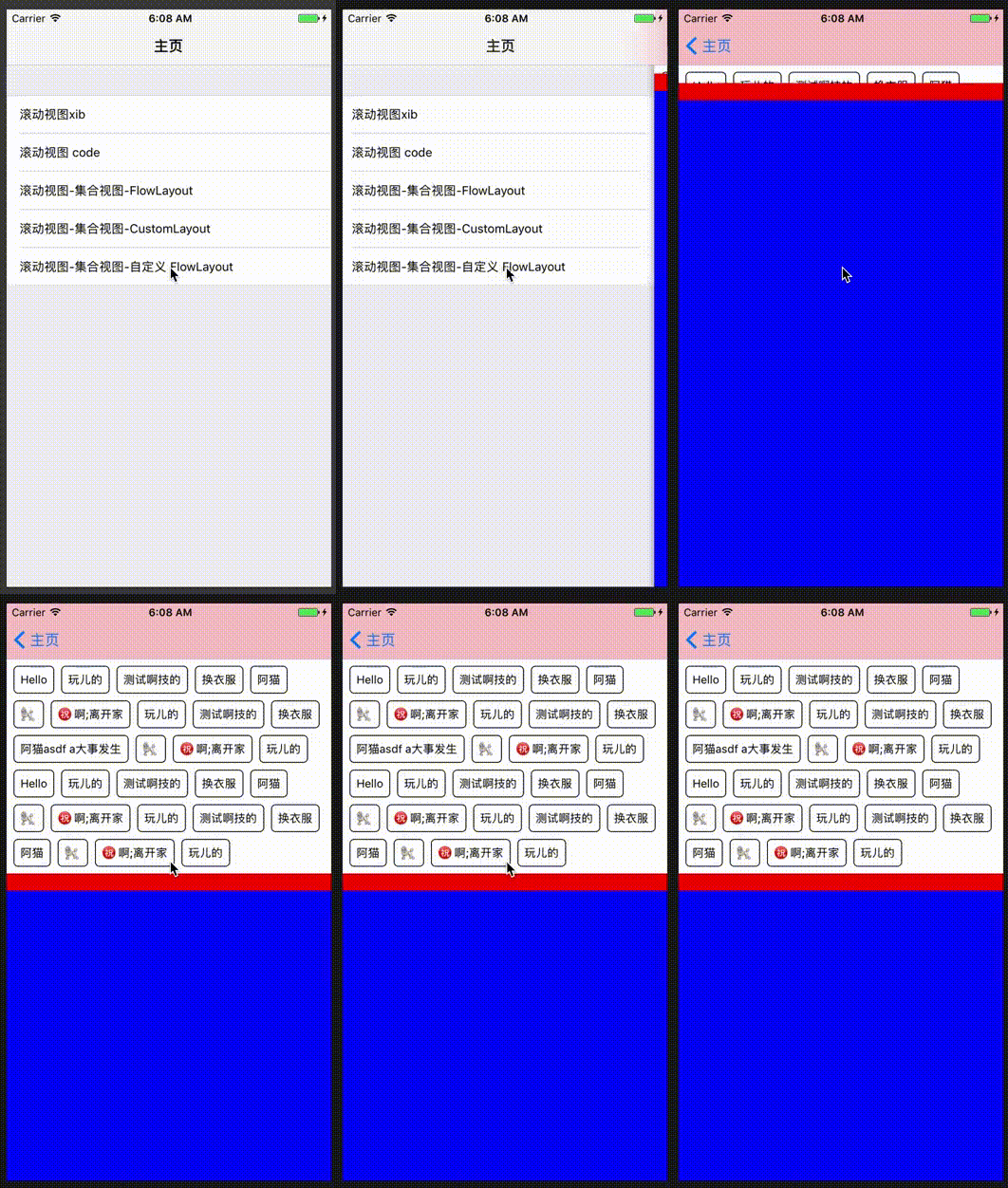
下面是整体演示(为便于演示整个撑开过程, 添加了动画效果):